

Take the perks home for real
The DFWIT Talent Marketplace is now open. Offer a referral or invite friends and you could earn a Gift Card.
Two ways to earn a Gift Card
$20
Successfully offer one referral
Post a referral offer on the Referrals page, and actually submit the seeker to your company's HR / hiring manager.
$10
Successfully invite 3 friends
Your friend completes sign-up and enters your email as their "introducer" during onboarding.
Rewards are granted in the order milestones are reached, first 10 per category, first come first served. We'll reach out once you qualify.
How to post a referral offer
 01
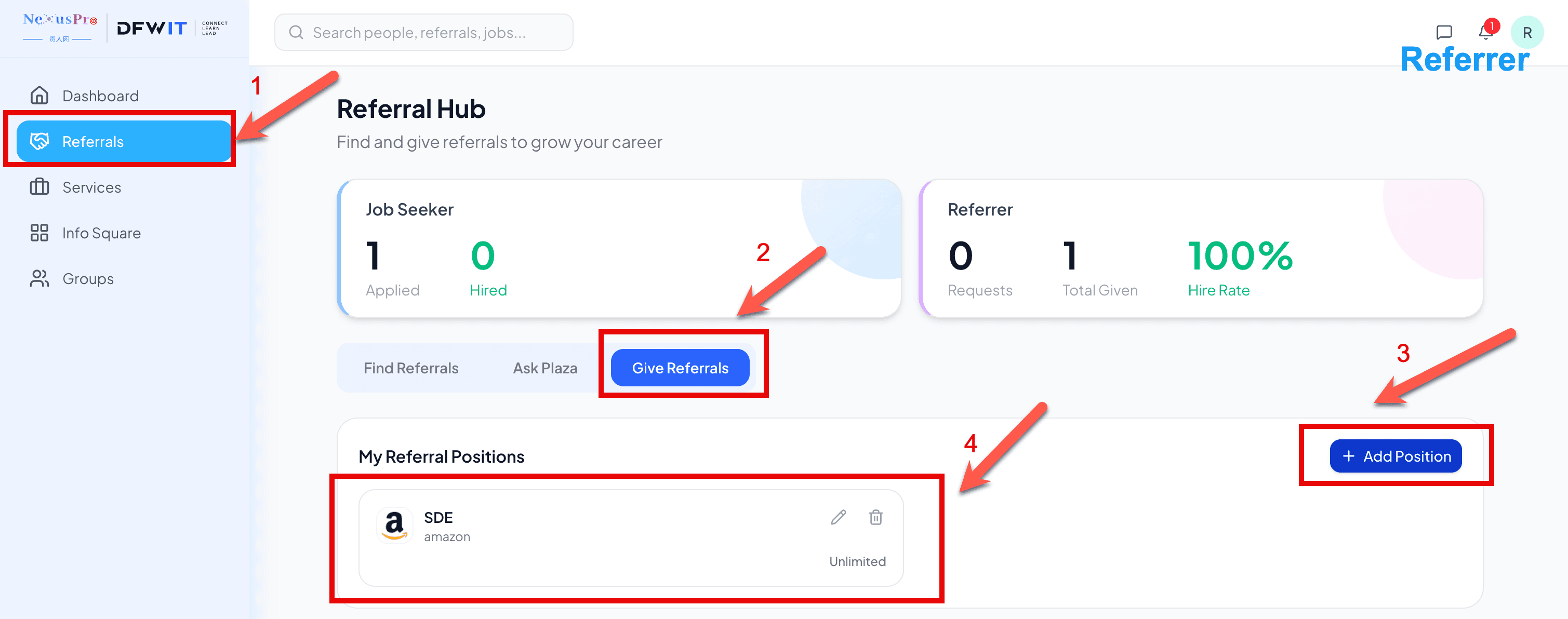
01Open Referrals and post your position
Sign in and click "Referrals" in the left nav, switch to the "Give Referrals" tab, then click "+ Add Position" to post a role you can refer for.
 02
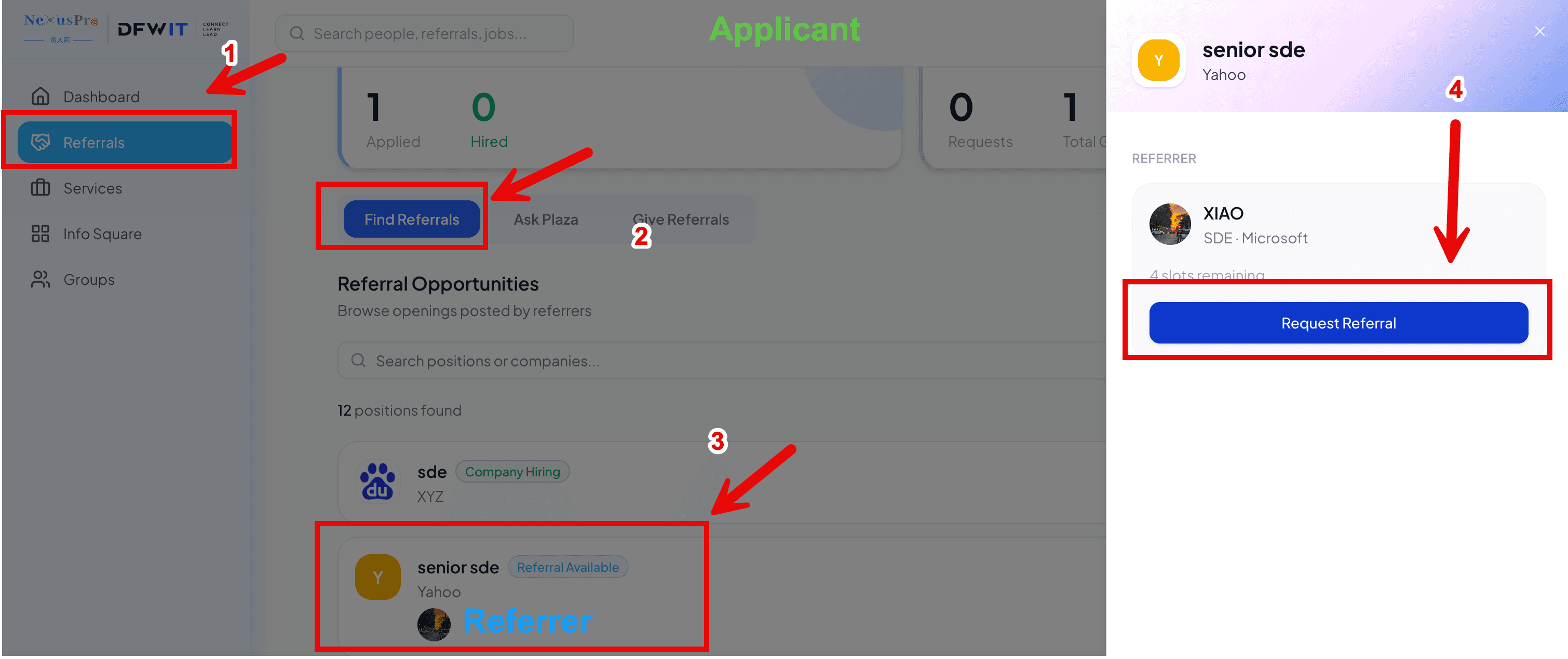
02Seekers find you and send a request
Your posted position shows up in other members' "Find Referrals" list. They can open it and click "Request Referral" to send you a request.
 03
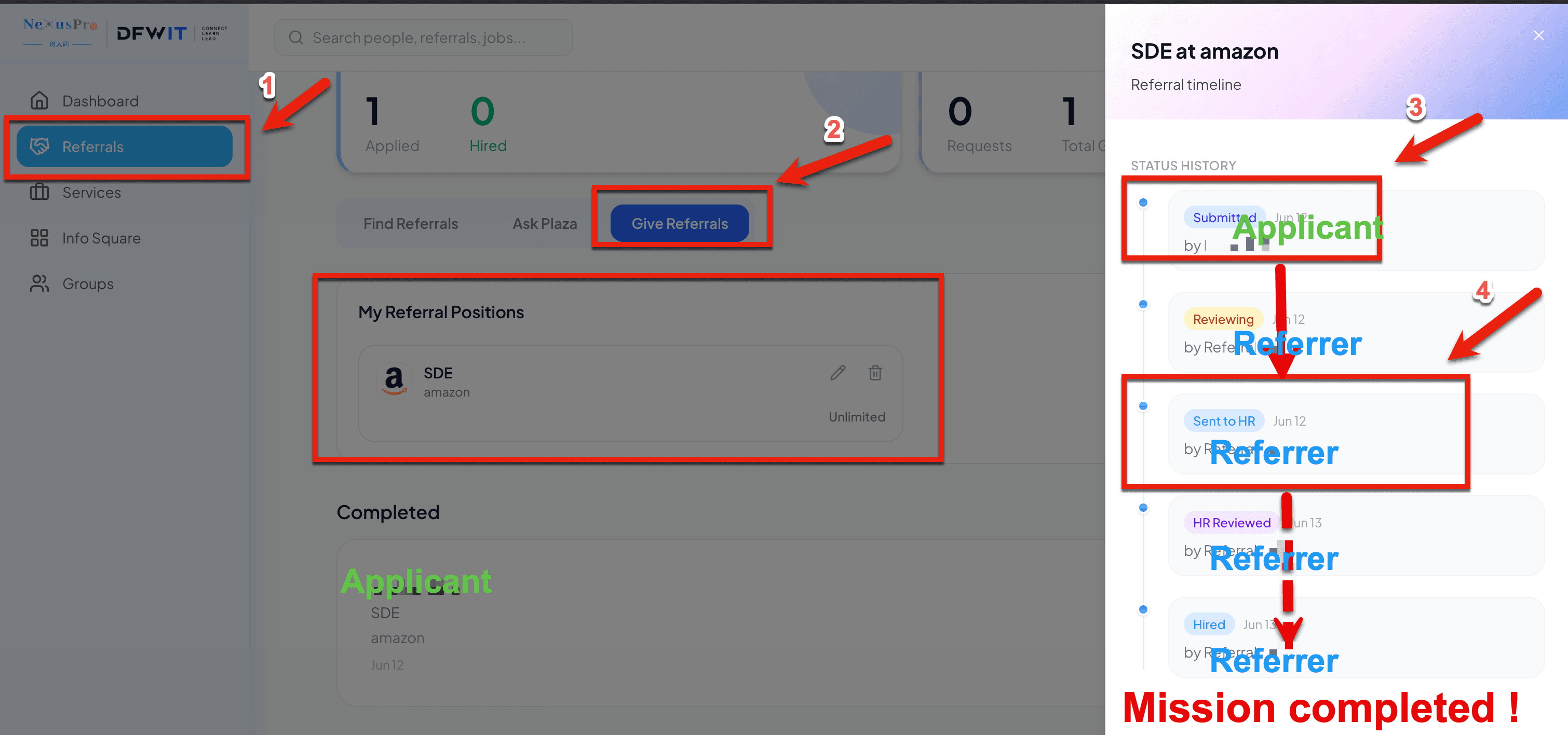
03After accepting, update the status to "Sent to HR" & email supporting materials to info@nexuspro.cool
Step 1: Once you accept a request, submit the seeker's info to your hiring manager, then update that referral's status to "Sent to HR" in the Referral timeline. Step 2: Email the following information to info@nexuspro.cool: - Your NexusPro user email - A screenshot of the referral with status "Sent to HR" or further (e.g. Hired) - A screenshot of the referral action (e.g. email or web page submission) to HR — that's the moment this reward counts as a successful referral.
What counts as "successful"?
A referral counts once its status is updated to "Sent to HR." Posting an offer alone, without actually submitting to HR, does not yet qualify.
How to invite friends
 01
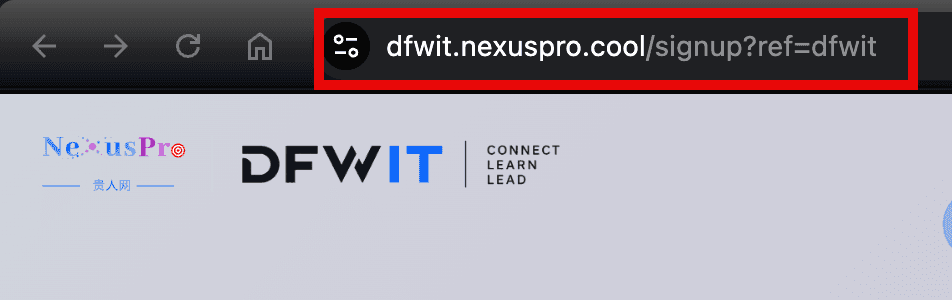
01Share your personal sign-up link
Send https://nexuspro.dfwit.org to your friend, and let them know to enter your email as their "introducer" once they get to step 3.
 02
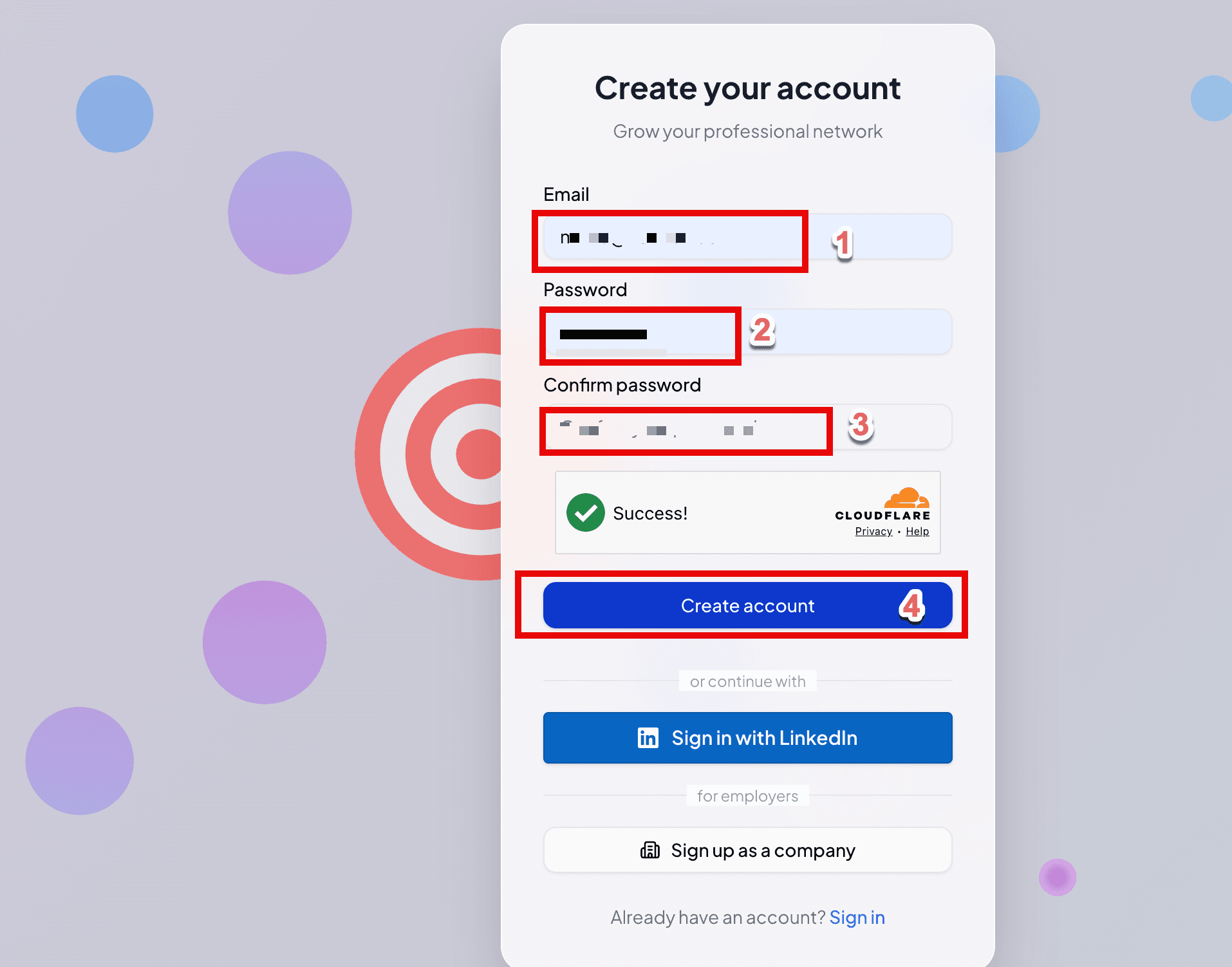
02Friend creates their account first
After opening the link, your friend fills in an email and password to create their account — no introducer info needed yet at this step.
 03
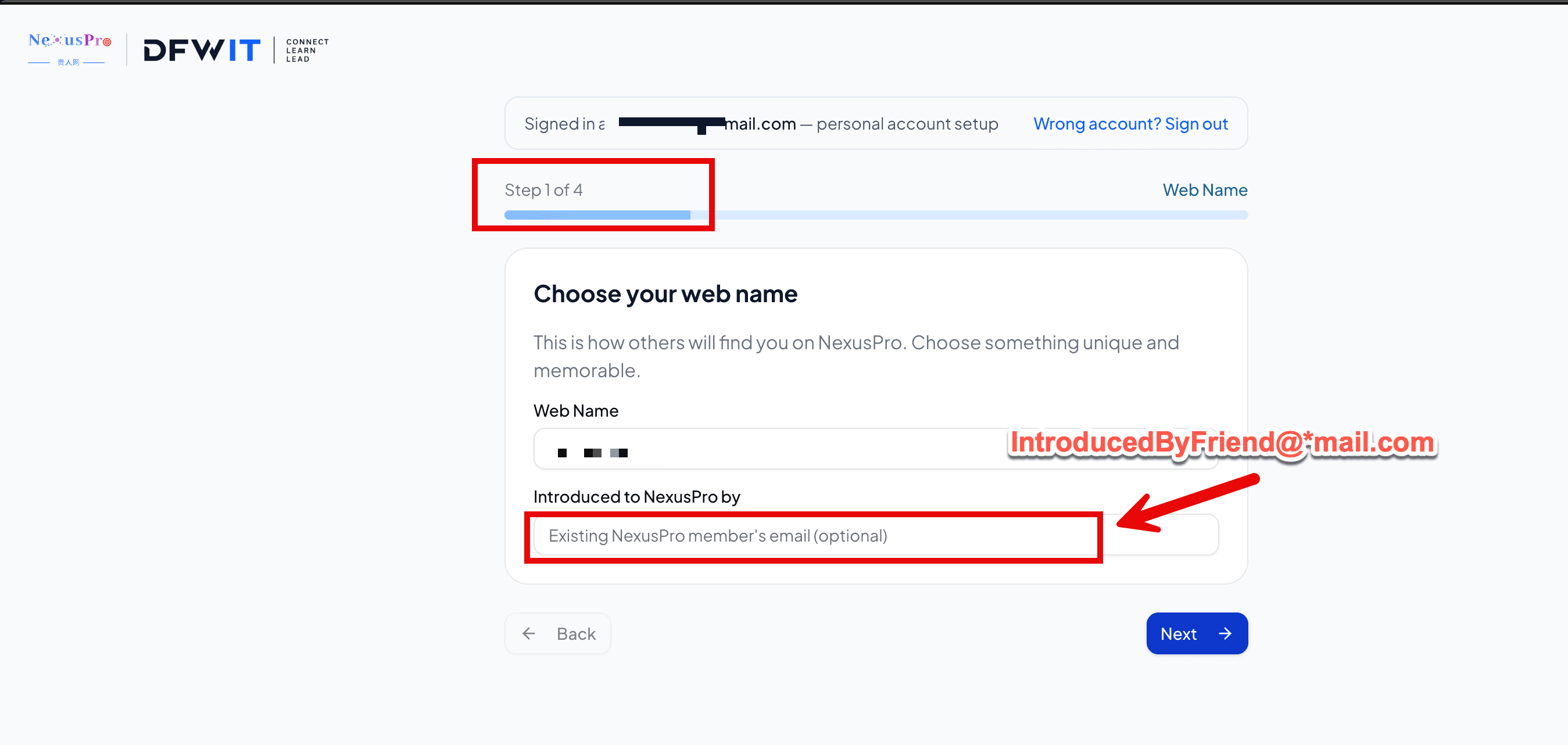
03They enter "Introduced to NexusPro by" during profile setup
After creating the account, they reach the profile-setup step, which has an "Introduced to NexusPro by" field — they should enter your account email there, and it auto-matches to you.
What counts as a "successful invite"?
Your friend completes sign-up and correctly enters your email under "Introduced to NexusPro by" (the system checks that the email matches a real NexusPro member). Once 3 friends do this, you qualify.
FAQ
When do I get the Gift Card?
Once you qualify, we'll reach out via in-app message or email to confirm delivery details, usually fulfilled within 5 business days after confirmation.
What if the spots run out?
Each reward is capped at the first 10 members. Future rounds will be announced separately in the community.
My friend entered the wrong introducer email — help?
Reach out to our team to get it corrected — email us at info@nexuspro.cool.